Weekly goal and reminders
Pick how many sessions a week you aim for. Today marks the week off, the summary tells you where it stands, and reminders, if you want them, come on the days and at the time you choose. The goal and its reminders are free.
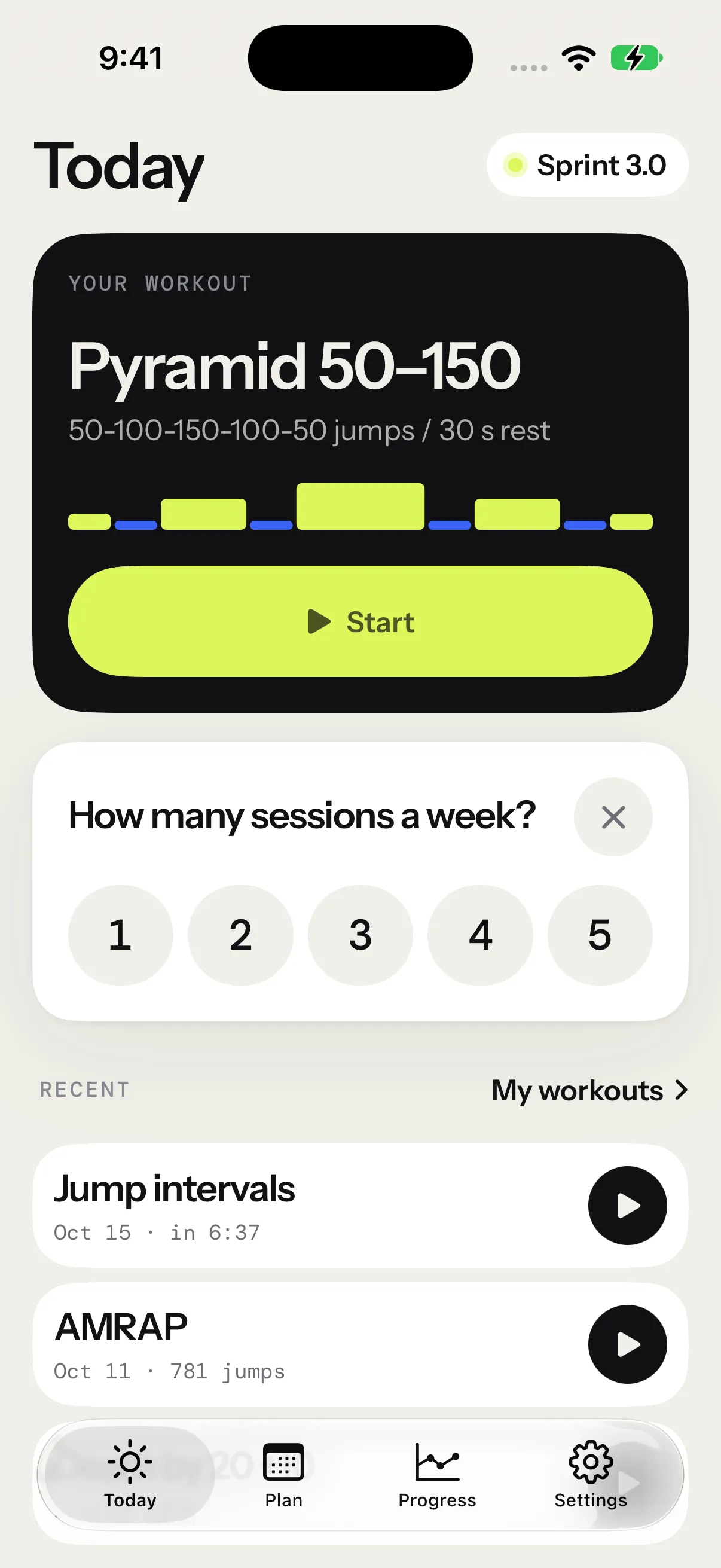
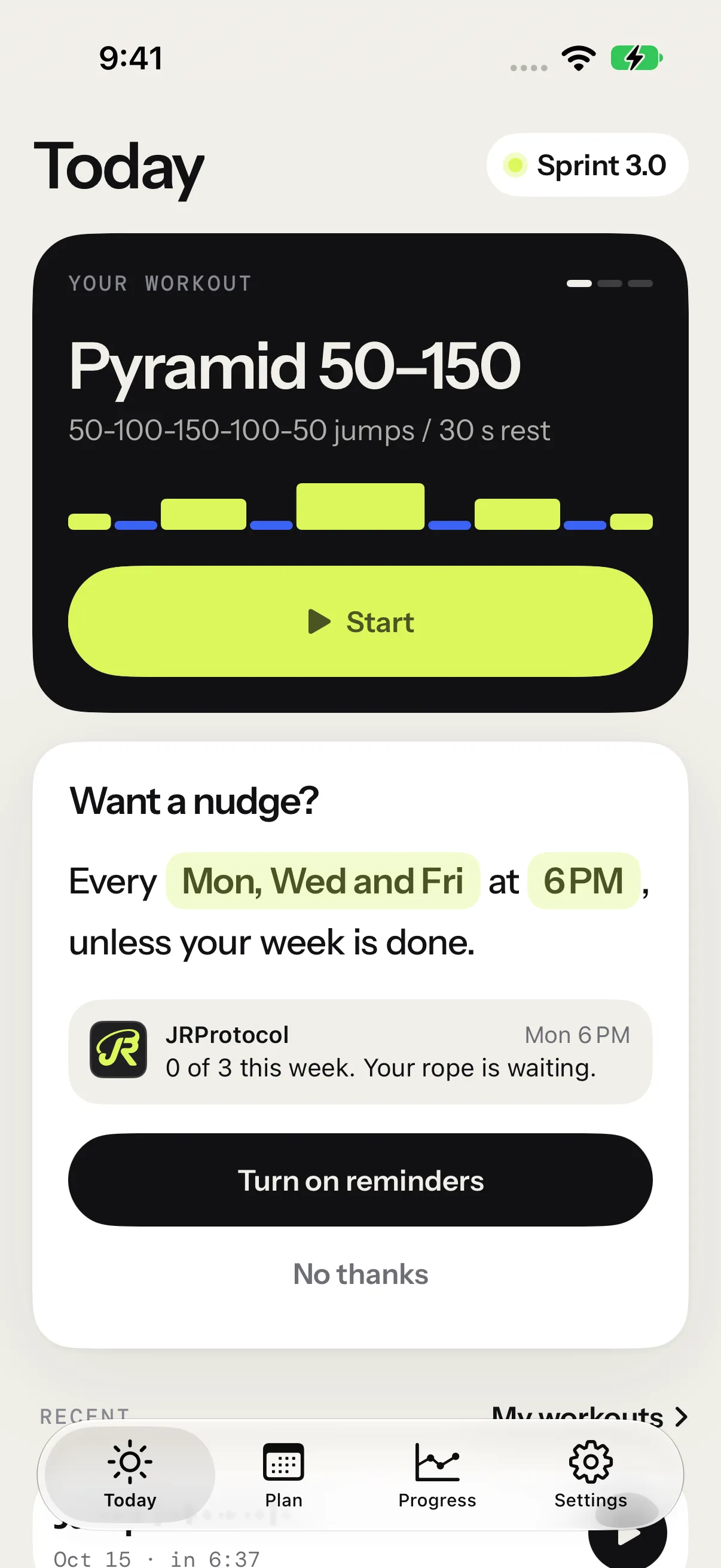
Set your goal
Once you’ve kept a session, Today asks you once, under its main card: How many sessions a week? Tap a number from 1 to 5. The ✕ closes the card without a goal. You can set one later in Settings › Goal, from 1 to 7.
Your week is a calendar week. It starts on your iPhone’s first day of the week: Sunday in Canada and the United States, Monday in France. Every session you keep counts toward it, whatever its format or length, including the ones from your Apple Watch and your iPad.
Without a program, Today’s main card marks the week off: one mark per session, lime for each one done, the next one lit. Each session’s summary adds a line under its key numbers, This week’s goal with 2 of 3 this week, then Goal met once you get there.
Reminders
Right after your goal, the card asks Want a nudge? and answers in one sentence: Every Mon, Wed and Fri at 6 PM, unless your week is done. Tap the days to pick others, or the time to choose 7 AM, 12 PM, 6 PM, 8 PM or Other, which opens a wheel for any time. Under the sentence, the card shows your first reminder as it will appear.
Tap Turn on reminders. iOS asks then, and only then, whether the app may send you notifications. No thanks closes the card, and Settings › Goal keeps the switch for later.
A reminder comes on each day you picked, at your time:
- 1 of 3 this week. Your rope is waiting.
- On the week’s last day: Last day: 2 of 3 this week.
None comes once the week’s goal is met, on a day you already jumped, or during a session. Tap one to open Today. While the app is open, a reminder stays quiet.
The app plans your reminders two weeks ahead, and again each time you open it or keep a session. After two weeks without opening the app, they stop until you come back.
Reminders ring only on the device that turned them on, so your iPhone and your iPad don’t both ring. The goal itself follows you to your other devices. See iCloud sync.
With a program
A program sets its own rhythm: your goal is the number of sessions in the week of your next session. That’s 3 for most weeks of Beginner and Intermediate, and 4 in their last week. Today keeps the program’s card and its own marks.
When you follow one, the card after your first session goes straight to the reminders, on the program’s days: Monday, Wednesday and Friday for Beginner. Each reminder names your next session: Beginner, week 2: EMOM 10 min is waiting.
Once the program is done, its rhythm stays your goal if you turned the reminders on, so they keep coming. Change it in Settings › Goal.
Settings › Goal
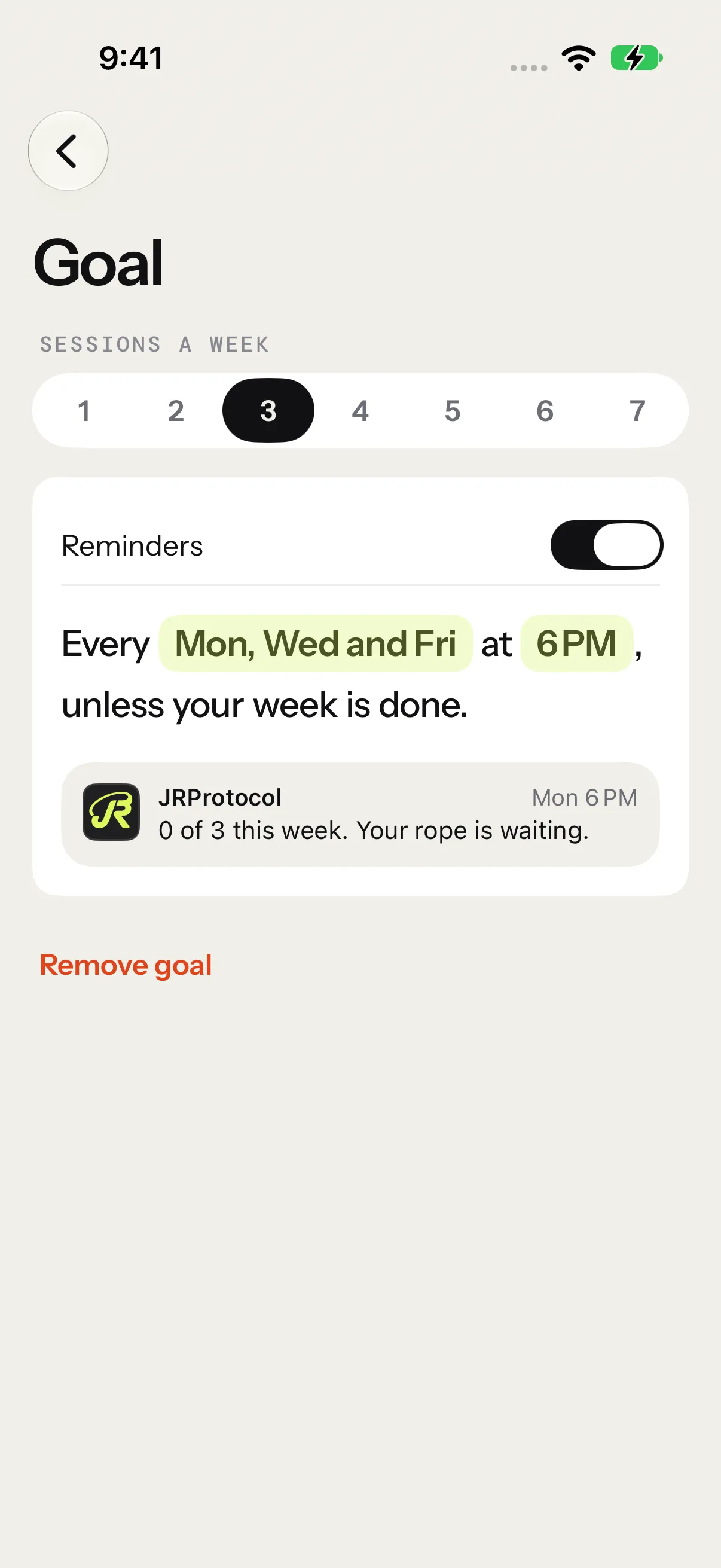
The Goal row sits under Session settings, with your goal under its name.
- Sessions a week: from 1 to 7. While a program runs, it shows the program’s rhythm, locked, with the program’s name.
- Reminders: the switch, then the card’s sentence and your next reminder. Tap the days or the time to change them.
- Remove goal takes the goal off Today and the summary, and turns the reminders off.
If iOS doesn’t let the app send notifications, the page says so, and Open Settings goes straight to the app’s notifications in the Settings app.