Session formats
A format decides what ends each round of work and how you rest. The app runs ten formats, and the workout creator offers all of them. Programs and Today’s quick starts use the same ones.
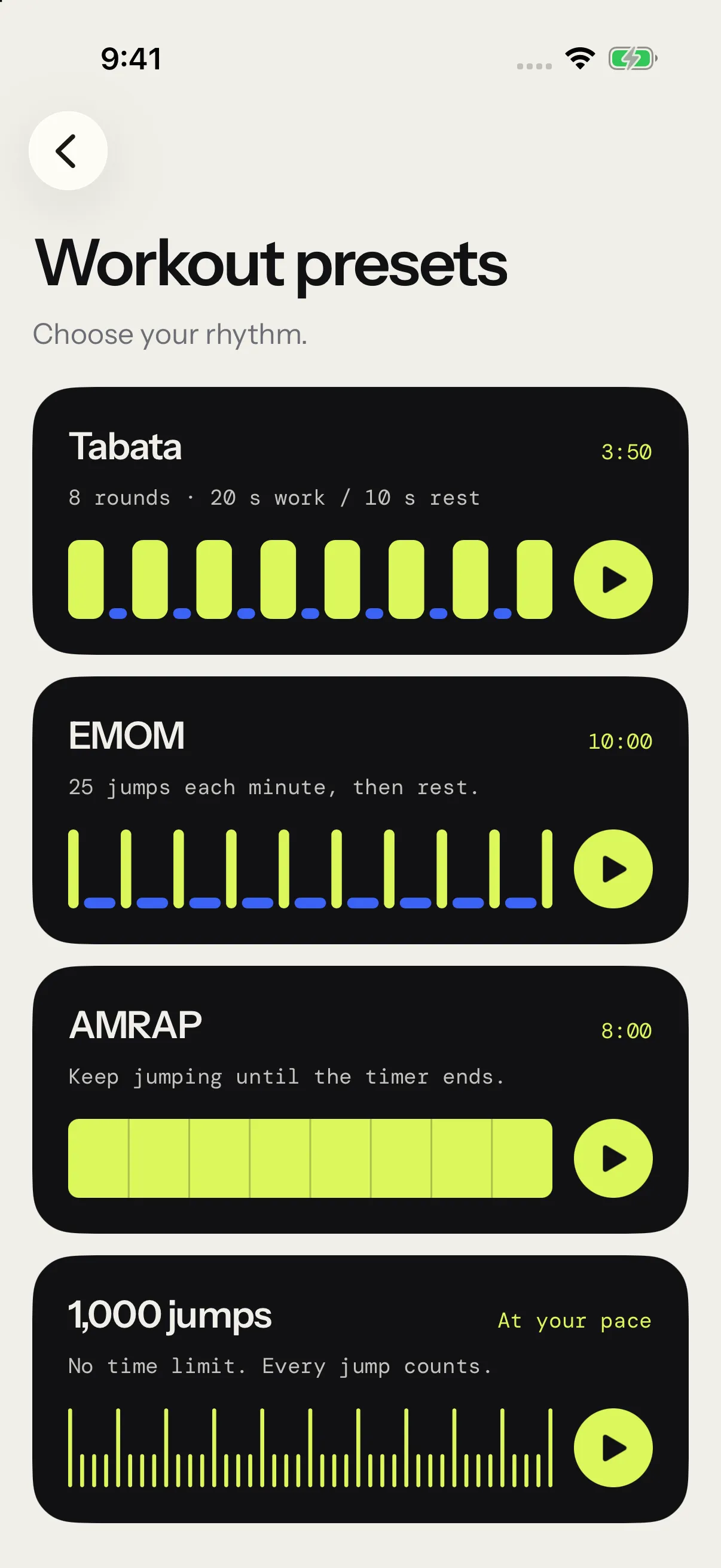
At a glance
| Format | Work ends on | Rest | Completion |
|---|---|---|---|
| HIIT | The clock | Set, between rounds | Rounds done |
| Jump intervals | A jump count | Set, between rounds | Rounds done |
| EMOM | The minute’s jump target | What’s left of the minute | Minutes met |
| Rising EMOM | A target that climbs each minute | What’s left of the minute | Minutes met, none with Until you miss |
| Pyramid | Each round’s own jump count | Set, between rounds | Rounds done |
| AMRAP | One clock | None | None: your jumps are the score |
| Density | Time under the rope | Whenever you need it | Time under the rope |
| Skill | The clock, one drill per round | Set, between rounds | Rounds done |
| Free Jump | You | Whenever you like | Jumps toward your goal, if you set one |
| Max unbroken | Your first trip | None | None: the run is the score |
HIIT
Work and rest on the clock, round after round. A round counts once its work clock runs out, then rest starts. The last round has no rest after it. Programs list HIIT sessions as Intervals.
On the wheels: Rounds (1 to 99), Work (5 s to 10 min) and Rest (0 to 5 min). A target cadence is optional.
Jump intervals
Each round ends when you reach its jump count, however long that takes. Then rest runs on the clock. In the creator, this format is called Jumps.
On the wheels: Rounds (1 to 99), Jumps per round (1 to 2,000) and Rest (0 to 5 min). A target cadence is optional.
EMOM
Every minute on the minute. Each minute asks for the same number of jumps. Hit it and rest for what’s left of the minute. Miss it and the next minute starts right away.
On the wheels: Minutes (1 to 60) and Jumps/min (1 to 200).
Rising EMOM and Death by
An EMOM whose target climbs every minute. Start is the first minute’s target (1 to 200 jumps), Per min adds jumps each minute (+1 to +50), and Max min caps the session (2 to 60 minutes).
With Until you miss on, the first minute you miss ends the session, and your score is the minutes you held. That’s a Death by, and the creator names it that way: Death by 20 +10. The switch starts on. Turn it off and the session runs every minute up to the cap, misses or not.
Pyramid
Each round ends on its own jump count, with the same rest after every round but the last. Pick a shape:
- Up climbs like a ladder: 50, 100, 150.
- Down comes back down: 150, 100, 50.
- Up & down climbs, then comes back: 50, 100, 150, 100, 50.
On the wheels: Start (1 to 1,000 jumps), Step (1 to 500 jumps added at each step), Steps (2 to 10 targets on the way up) and Rest (0 to 5 min). A target cadence is optional.
AMRAP
As many jumps as you can before one clock runs out. No rounds and no rest. Your jump count is the score, so AMRAP shows no completion percentage.
On the wheel: the Duration, from 30 s to 60 min. A target cadence is optional.
Density
Time under the rope. The session ends once the rope has turned for the time you set, however many breaks it takes. Only time spent jumping counts toward it: breaks and trips don’t.
On the wheel: the time Under rope, from 1 to 60 min. A target cadence is optional.
Skill
Timed rounds of footwork drills, one drill per round, with rest between rounds. Tap the drills in the order you want them. Each chosen drill shows its place in the cycle, and the cycle repeats until the rounds run out. Counting works the same for every drill: the drill tells your feet what to do. Skill sessions have no jump target.
| Drill | The move |
|---|---|
| Bounce | Both feet together, small hops |
| Alternate foot | One foot then the other, like jogging in place |
| Boxer step | A shuffle from one foot to the other, two touches each |
| High knees | Alternate foot, with the knees driven to hip height |
| Side to side | Both feet hop left and right, like a skier |
| Criss-cross | Your arms cross in front on every other turn |
| Double under | Two turns of the rope under one jump |
Pick at least one drill, each one once. On the wheels: Rounds (1 to 99), Work (5 s to 10 min) and Rest (0 to 5 min).
Free Jump
Counting with no target. It runs until you end it. Free Jump on Today is free for everyone.
In the creator, the Free format adds an optional Goal, from 1 to 99,999 jumps. When you reach it, the voice says “Goal reached”, the screen shows Goal met, and you keep jumping. You can turn that announcement off in Voice and announcements.
Max unbroken
A test: one run, as long as it lasts. Your first trip ends it, and that run is your score. A trip is a gap of 1.5 s or more between two jumps. A stumble in the first 10 jumps is a false start: keep going, the test goes on.
There’s nothing to set.
Target cadence
HIIT, jump intervals, pyramid, AMRAP and density can carry a target cadence, from 40 to 240 JPM (jumps per minute). The app shows it before you start and during rests. It guides your pace and never counts against you.
EMOM formats set the pace through their jump targets. Skill, Free Jump and Max unbroken take no cadence.
How completion works
After a session, the summary shows your jumps and, when the format has a target, the share of it you did. Plan and the sessions in Progress show the same percentage.
- Rounds count in HIIT, jump intervals, pyramid, skill, EMOM, and rising EMOM with Until you miss off: the rounds or minutes you completed, out of the total, whatever your pace. A timed round counts once its clock runs out. A jump round counts when you reach its count. An EMOM minute counts when you hit its target before the minute ends.
- Density compares your time under the rope with the time you set.
- Free Jump compares your jumps with your goal, when you set one.
- AMRAP, Death by and Max unbroken have no percentage. Your jumps, your minutes held and your run are the score. Free Jump without a goal has none either.
If you end a session early, the rounds you finished still count: 5 rounds out of 10 reads 50%.
Quick starts on Today
Until you save a workout or try a preset, Today shows Tabata and 1,000 jumps tiles. Tap Browse beside Quick start for all eight presets. Once Today shows Recent, Browse presets opens the same list, in three groups: 5 min or less, 10 to 15 min and Tests.
- Warm-up: skill, bounce, alternate foot and side to side, 6 rounds of 30 s with 10 s of rest.
- Tabata: HIIT, 8 rounds of 20 s with 10 s of rest.
- 1,000 jumps: Free Jump with a 1,000-jump goal.
- Pyramid 50–200: 50, 100, 150 and 200 jumps, then back down, with 30 s of rest.
- Boxing rounds: HIIT, 3 rounds of 3 min with 1 min of rest.
- Cardio 15: HIIT, 15 rounds of 45 s with 15 s of rest.
- 1-minute test: AMRAP, as many jumps as you can in a minute.
- Death by 20 +10: rising EMOM, 20 jumps the first minute and 10 more each minute, until you miss.
Tap one to open its start screen. Workout settings there changes its numbers, for this session only. Then tap Start session. Presets run as written: the rope in hand never changes them. A preset you adjust takes the name its numbers suggest, like HIIT 10 × 20/10, and comes back that way under Recent. Your own workouts show under Recent on Today once you use them, with My workouts for the full collection.