Badges
Badges mark the milestones of your training: your first session, your first thousand jumps, a hundred jumps without a trip, a full year of weeks in a row. There are 27, in nine families. Each family has its own medal, and the hardest badges are volt.
Badges are worked out on your iPhone from the sessions you keep, like your records. The first session that meets a badge’s rule earns it, and the badge keeps that session’s date.
When you earn one
A badge arrives at the end of the session that earns it. On the summary, its coin lands under New badge, with its name. A volt badge, the hardest of its family, takes the whole screen first: tap Continue and it flies to its place in the summary, or tap Share.
The first time you open Progress with badges already earned by your past sessions, they all arrive at once, under badges already earned.
Your collection
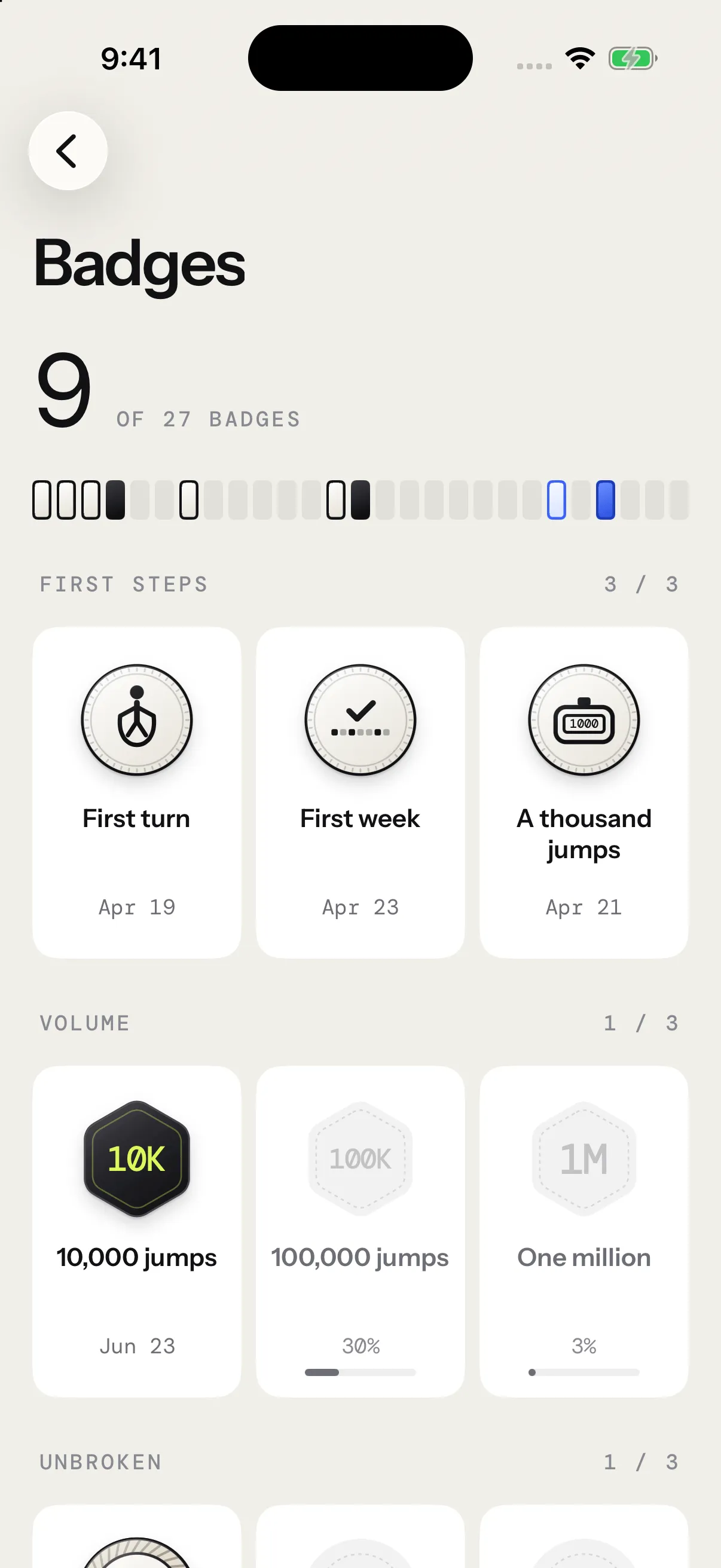
In Progress, the Badges card sits under the opening card. It shows your latest badges, or the next ones to go for, and how many you hold out of 27. Tap it, or See all 27 badges, to open the collection, family by family.
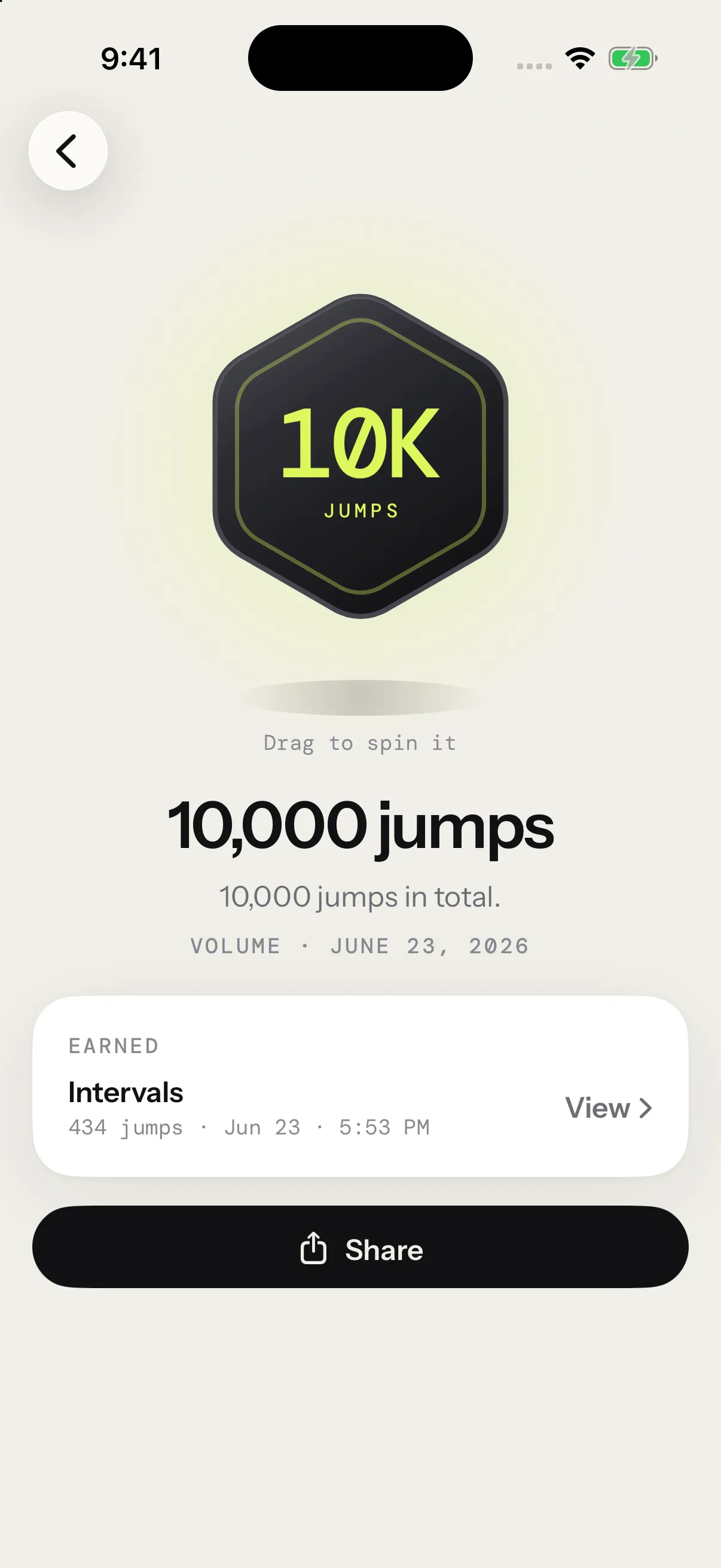
Tap a badge to see it up close:
- Drag the coin to spin it.
- An earned badge shows the day it was earned and that session’s jumps. View opens the session’s report, and Share sends the badge as a picture.
- A badge you haven’t earned shows how far you are, like 312 jumps to go. or your best so far.
Every badge
| Family | Badge | How to earn it |
|---|---|---|
| First steps | First turn | Finish your first session. |
| First week | Three sessions in one week. | |
| A thousand jumps | 1,000 jumps across all your sessions. | |
| Volume | 10,000 jumps | 10,000 jumps in total. |
| 100,000 jumps | 100,000 jumps in total. | |
| One million | One million jumps in total. | |
| Unbroken | A hundred straight | 100 jumps in one unbroken run. |
| 500 straight | 500 jumps in one unbroken run. | |
| 1,000 straight | 1,000 jumps in one unbroken run. | |
| Speed | 150 in a minute | Your fastest minute reaches 150 jumps. |
| 90 in 30 seconds | 90 jumps in your fastest 30 seconds. | |
| 200 in a minute | Your fastest minute reaches 200 jumps. | |
| Consistency | 4 weeks in a row | At least one session a week, four weeks running. |
| A season | 12 weeks in a row with at least one session. | |
| A full year | 52 weeks in a row with at least one session. | |
| Mastery | Clean sheet | A session of 300 jumps or more without a single trip. Skill sessions and tests don’t count. |
| Long haul | 20 minutes under the rope in one session. | |
| Double under | Finish a skill session with double unders. The Intermediate program and the Double unders preset have them. | |
| Programs | Beginner, done | All four weeks of the Beginner program. |
| Intermediate, done | All four weeks of the Intermediate program. | |
| All-rounder | A session in each of the seven formats: intervals, EMOM, rising EMOM, pyramid, AMRAP, density and skill. | |
| Cardio | First beat | A session measured with a heart-rate strap or an Apple Watch. |
| Flat out | 3 minutes in zone 5 in one session. | |
| Quick recovery | Your heart drops 25 BPM in the first 30 seconds of a rest. |
Moments hides three more badges. Each one shows itself the day you earn it, and until then the collection counts how many you’ve found.
The fastest minute, the fastest 30 seconds and unbroken runs follow the same rules as your records. The zones come from your max heart rate: see Heart rate.
Free and Pro
The three First steps badges are free. The other 24 come with Pro.
Without Pro, the app still keeps track of them. A Pro badge you earn waits, locked: the summary says Pro badge earned, and the Badges card counts the ones waiting for you. Unlock Pro and they all appear at once, under badges unlocked, with the day you earned each one.
When you delete a session
Deleting a session can take badges with it: the ones no other session meets without it, like a total or a run of weeks that falls short. The confirmation shows each of them, and they go back to locked until a session earns them again. When another session meets a badge’s rule too, the badge stays and moves to that session.
See deleting a session.
On Apple Watch
Sessions from your Apple Watch count toward your badges once they reach your iPhone. The Watch shows no badges of its own: your collection lives on the iPhone, in Progress.