Counting your jumps
Your AirPods or Powerbeats count each jump from the motion of your head: up as you leave the floor, down as you land. An Apple Watch counts from your wrist. The iPhone shows the count, so it can stay on the floor.
How your headphones count
- The app reads your head’s motion through your headphones, about 25 times a second.
- A new run shows its first jump when the second one lands, then counts both. A lone small hop doesn’t count. A big jump with real air under it counts on its own, even with a pause after it.
- Jumps count during work only. The countdown, rests and pauses ignore them.
- Your motion stays on your iPhone.
Compatible headphones
| Headphones | Count jumps |
|---|---|
| AirPods Pro | Yes |
| AirPods (3rd generation or later) | Yes |
| AirPods Max | Yes |
| Powerbeats and other Beats with head tracking | Yes |
| AirPods (2nd generation) and other headphones | No. They still play the voice. |
You also need an iPhone with iOS 17 or later. Headphones that connect without sending head motion show Counting unavailable on the setup screen.
With an Apple Watch
The Apple Watch counts from the motion of your wrist: the bounce of each jump, as headphones feel it at your head. You count with one device per session: on the iPhone’s setup screen, Count with offers Headphones or Apple Watch. Start on Apple Watch opens the session on the Watch, where you start it, and any session in the Watch’s list starts there too. On the Watch, every session except Free Jump needs Pro. The Watch’s Counting sensitivity works as the iPhone’s does. Turning the rope with big arm circles while you don’t jump can count as jumps. After a stop, a new run shows its first jump when the second one lands, and a lone arm movement doesn’t count. More in Apple Watch.
Allow motion access
Counting with headphones needs Motion & Fitness access. The app only asks when you tap Allow motion access on the setup screen, or Allow in the app’s Settings › Sensors.
If you said no, the card reads Motion access is off. Tap Open Settings, or Settings in Sensors: it opens the app’s page in the iPhone’s Settings, where you turn on Motion & Fitness.
Where to put your iPhone
Set it on the floor in front of you, where you can read it. The numbers are sized for that. The screen stays on for the whole session, so the iPhone doesn’t lock by itself. Its own motion doesn’t count, so it doesn’t need to be on you.
Counting sensitivity
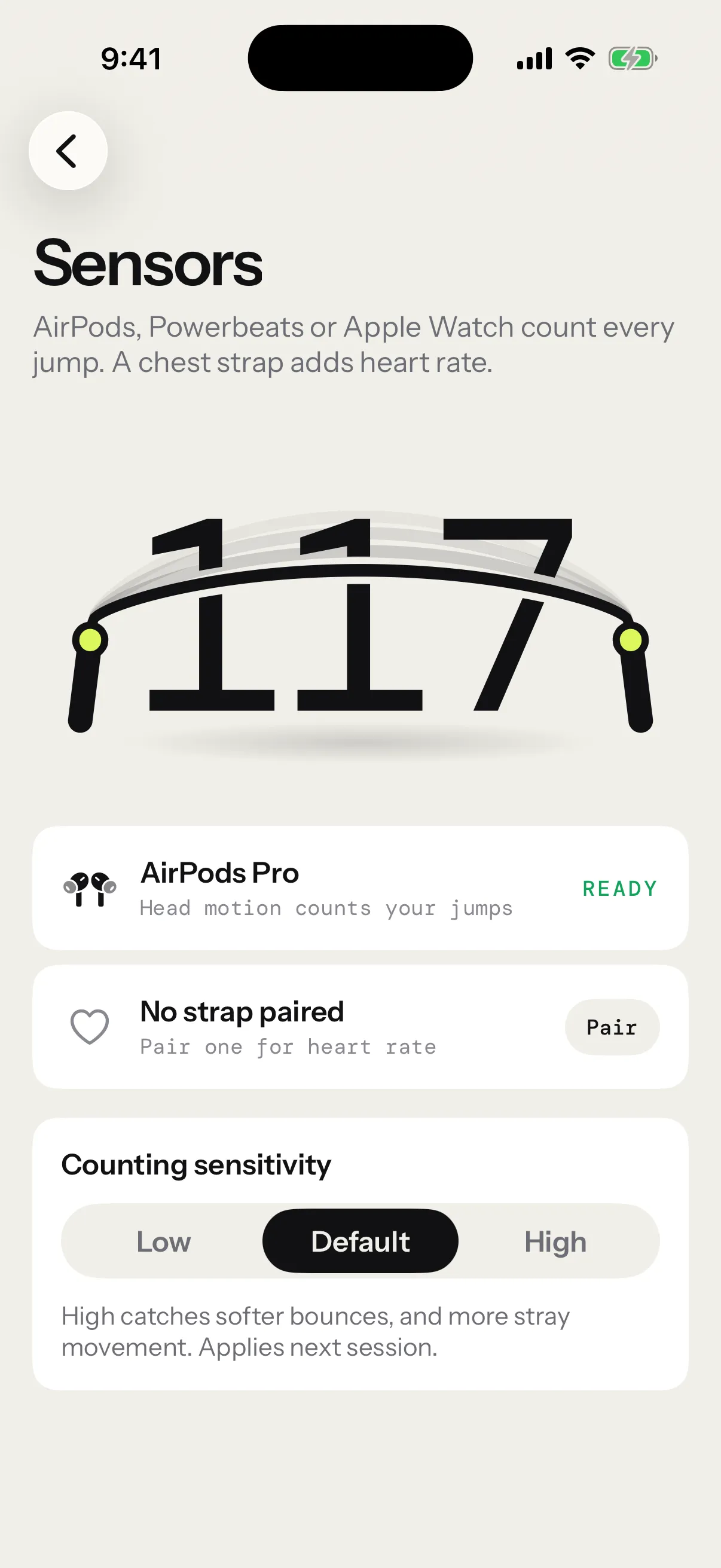
Counting sensitivity has three levels: Low, Default and High. You’ll find it in Settings › Sensors, and in Session settings, which also opens from the setup screen.
- High catches softer bounces, but it may count movement that isn’t a jump.
- Low ignores more.
- A change applies from your next session.
Each session’s report shows the sensitivity it was counted with, under Counted with.
Trips and streaks
Your Streak is how many jumps you’ve done in a row.
A trip is a gap of 1.5 s or more between two jumps during work. The streak goes back to zero and the clock keeps running. The iPhone shows Trip · streak over for a moment; the Apple Watch marks the streak Trip. The voice stays quiet: you already know.
The run you just finished stays in your streak, dimmed, until your next jump, so you have time to read it. A new round starts back at zero.
- A pause, a rest or the end of a round also ends a streak, without counting a trip.
- Your pace, JPM, comes from your last few jumps in the current run. It starts over after a trip or a pause.
- In a Max unbroken test, the first trip ends the session. A trip before your 10th jump is a false start, and the test goes on.
- Each session keeps its best streak, its trips and every unbroken run. See Session reports and sharing.
When your headphones disconnect
If your headphones stop sending motion for 3 s, or disconnect, the session pauses itself, so no jump goes uncounted. The pause screen shows Counting paused.
Put them back in. The notice clears once motion is back. Tap Resume when you’re back on the rope.
When the count is off
Jumps go uncounted
- Check that the setup screen shows Ready before you start.
- Try High sensitivity.
- The countdown, rests and pauses never count jumps.
Extra jumps get counted
- Try Low sensitivity: it ignores more movement.
The count stops mid-session
- Your headphones stopped sending motion: see When your headphones disconnect.
- The app’s Settings › Sensors shows whether your headphones are ready to count.
Send us the session
Open it in Progress › Sessions and tap Report a problem, or find it in Settings › Diagnostics. We replay its motion jump by jump. See Send us a session that went wrong.
Still stuck? See Troubleshooting.