Pro and purchases
Counting is free for good. Pro is one purchase, paid once, with no subscription and no account.
Free and Pro
| Free | Pro | |
|---|---|---|
| Counting with AirPods, Powerbeats or Apple Watch | Yes | Yes |
| Free Jump | Yes | Yes |
| The 4-week Beginner program | Yes | Yes |
| Heart-rate strap and calories | Yes | Yes |
| Sessions saved to Apple Health | Yes | Yes |
| Ropes | 1 | Unlimited |
| History | The last 14 days | Every session |
| Progress: trends, records, repeated workouts and cardio | — | Yes |
| Badges | The 3 First steps badges | All 27 |
| The workout creator and its presets | — | Yes |
| Today’s quick starts | — | Yes |
| The 4-week Intermediate program | — | Yes |
| Your own programs, even ones your AI writes | — | Yes |
| Sessions on Apple Watch | Free Jump | All |
Everything during a session works the same in both, the voice and the count on the Lock Screen included.
The price
Pro costs $9.99 during the launch, then $19.99. You pay once. Those are US prices: the App Store shows the price for your country, and so does the Pro page. During the launch, in US dollars, the page also shows the regular price struck through.
Where to find Pro
Open Settings › Pro. The Pro page also opens when you reach for something that comes with Pro:
- building a workout
- a quick start on Today
- a second rope
- sessions older than two weeks
- the Progress view
- a badge that comes with Pro
- a program of your own, or one your AI wrote
- the Intermediate program
The page opens on what brought you there. Swipe or tap the card to turn it and see the rest of Pro.
Buy Pro
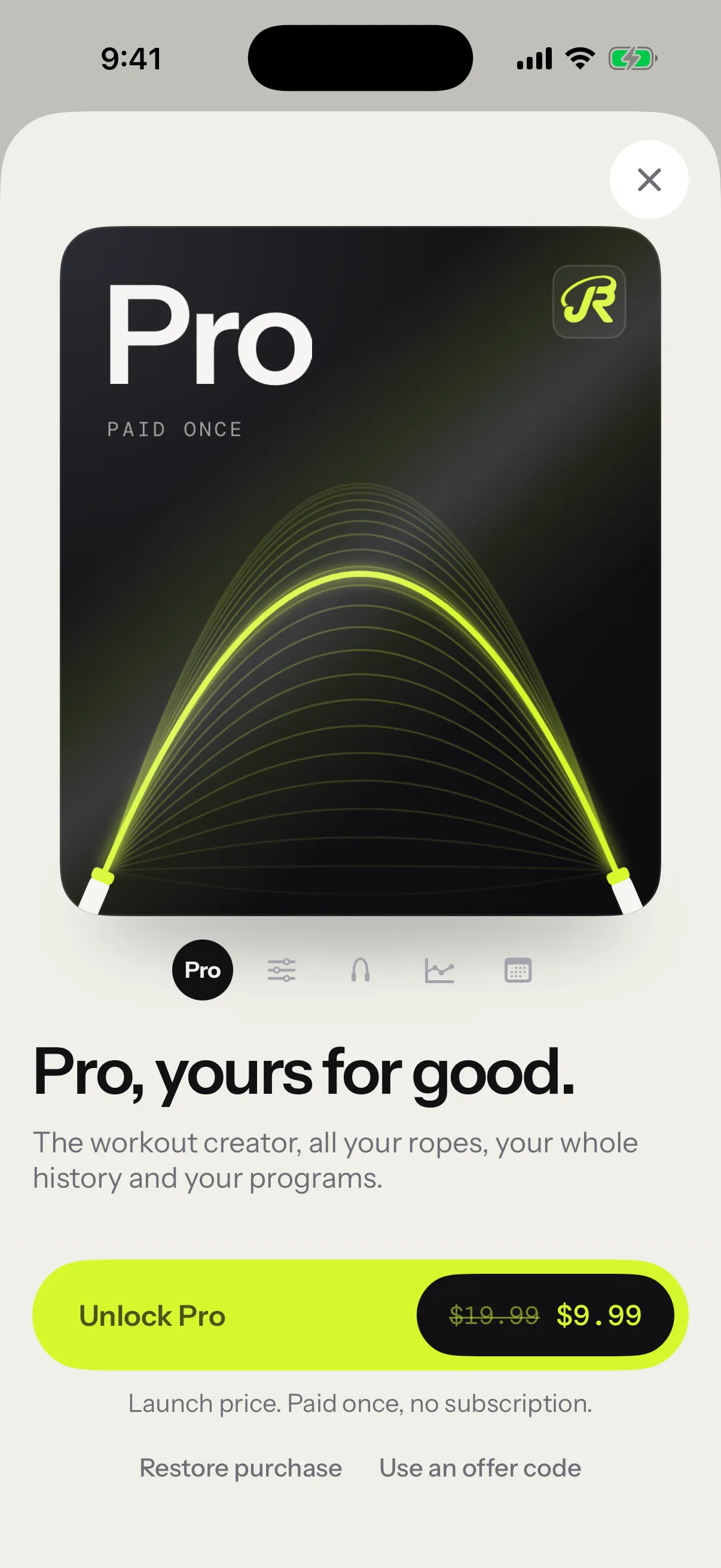
- Open Settings › Pro.
- Tap Unlock Pro. The button shows your price.
- Confirm with Apple.
- Tap Continue.
Continue takes you on to what you were about to do, like building a workout. Once Pro is yours, the Pro row in Settings says Unlocked · thank you.
- With Ask to Buy, the page says Waiting for approval. until a parent approves.
- To redeem an offer code, tap Use an offer code.
- If the App Store can’t be reached, tap Try again.
- If purchases are turned off on your iPhone, the page says Purchases are disabled on this device.
On Apple Watch
Pro bought on the iPhone opens the Watch’s sessions too, with the same Apple Account. The Watch checks the next time you bring its app to the front, and your iPhone tells it as well. See Apple Watch.
Restore Pro
Pro belongs to your Apple Account. On a new iPhone, or after reinstalling the app:
- Open Settings › Pro.
- Tap Restore purchase.
The page then says Your Pro purchase has been restored. If it says No Pro purchase was found for this Apple Account., check that the App Store is signed in with the Apple Account that bought Pro.
Refunds
Purchases go through Apple. To ask for a refund, go to reportaproblem.apple.com.
After a refund, Pro switches off on your iPhone and your Watch. Nothing is deleted: older sessions go back out of sight, and the workouts, ropes and programs you made stay.
Support development
Once Pro is yours, Settings › Support development offers an optional one-time thank-you, in three sizes. It isn’t a subscription and unlocks nothing more: your Pro stays the same.
Past the free limits
The free version never deletes anything to stay within its limits.
- History: the last 14 days show in Progress. Older sessions stay on your iPhone, and a card under the list counts them.
- The Progress view: the opening card shows your own numbers, and the rest waits behind a blur.
- Badges: the Pro badges you earn stay locked until you unlock Pro. See Badges.
- Ropes: one rope. Adding a second opens the Pro page.
- Apple Watch: Free Jump runs, and the other sessions show a lock.
See Progress.